No Exact Matches Found
Jacob Hunter | Sep 25, 2026 | 11 MIN READ
Reverse image search still works, but some tools, especially Google, increasingly place recognition and AI synthesis where provenance searching used to sit.
This blog is the result of testing and our experience in Australia in early September.
Navigating the Changing Landscape of Reverse Image Search
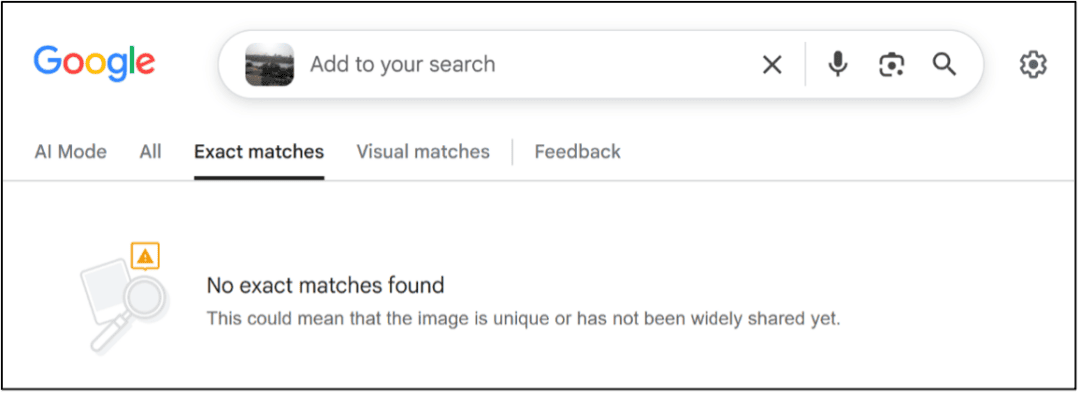
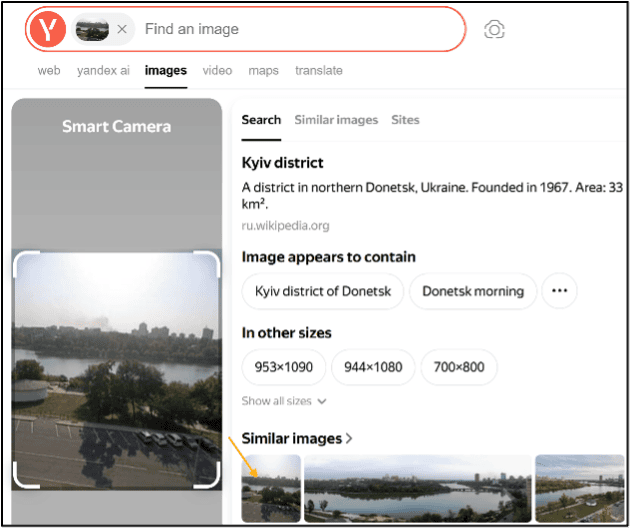
Google Lens told us a photograph had no exact matches and suggested that it might be unique or not yet widely shared. In AI Mode, Google confidently put the image in the wrong place. Yandex found the same file in three sizes across multiple websites.
None of that tells us what is on the internet. Each result is one engine, on one index, in one search mode, reached one way, retrieving what it could at that moment.
Has AI ruined reverse image searching? I think that is the wrong question. Is it better or worse? Still not quite the right question. Exact matching continues to work, while visual matching produces useful but (very) uneven results.
What has changed is the default task. Tools now try to describe or identify a scene before establishing whether the exact image appears elsewhere. More important is the absolute lack of consistency: a fragmentation of multiple overlapping systems presented under one brand.
The first test image is below. It was taken in Donetsk, in eastern Ukraine, at 48.005542, 37.815436.
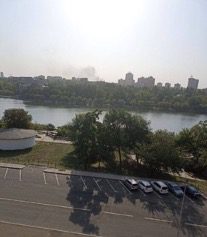
The first thing we do is decide why we are reverse image searching at all: date verification, source identification, context checking, ownership tracing, copyright monitoring, geolocation support or object recognition. Checking for EXIF data might be all we need to do. A fascination with AI can make us skip EXIF entirely, and lose part of the geolocation puzzle before we start.
The empty tab
First stop, Google Lens. It opened on the All tab, with AI Mode, Exact matches and Visual matches alongside it. Selecting Exact matches returned “No exact matches found”, followed by the suggestion that the image might be unique or not yet widely shared.
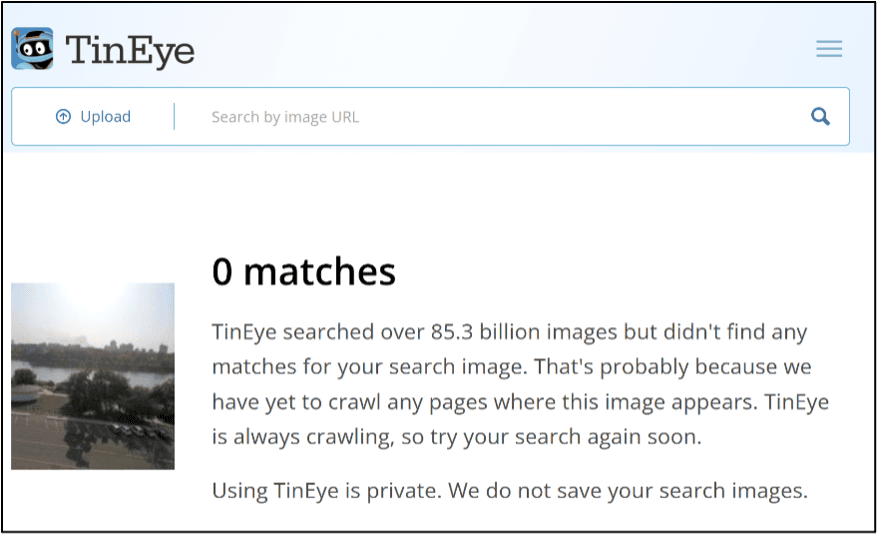
We always want to use multiple tools, as how each engine crawls and indexes information online is different, so we open TinEye. It said the same thing, adding that it had “yet to crawl any pages where the image appears”. At least it is honest.
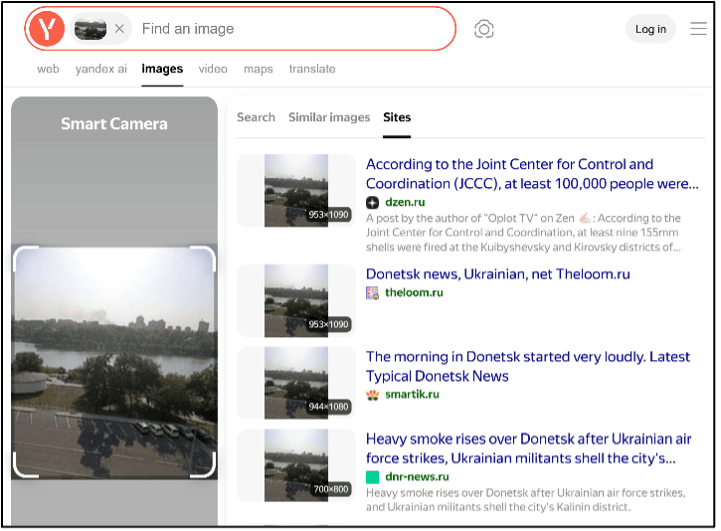
Yandex returned three different file sizes, across multiple sites. The view we all know and miss… Google, are you reading this?
A null result from one engine is not evidence that an image is original or unshared. It is evidence that the selected search mode did not retrieve a match from that engine’s index, and the file we submit shapes that. We work from the original file wherever we can get it. Where we cannot, or where the full frame still returns nothing, we crop and try again.
Selecting a distinctive region such as a sign, a building corner or a watermark, and re-running the search, strips out the surrounding pixels that are pushing the engine towards a scene description, and it is the most reliable way to get something when the first result brings back nothing.
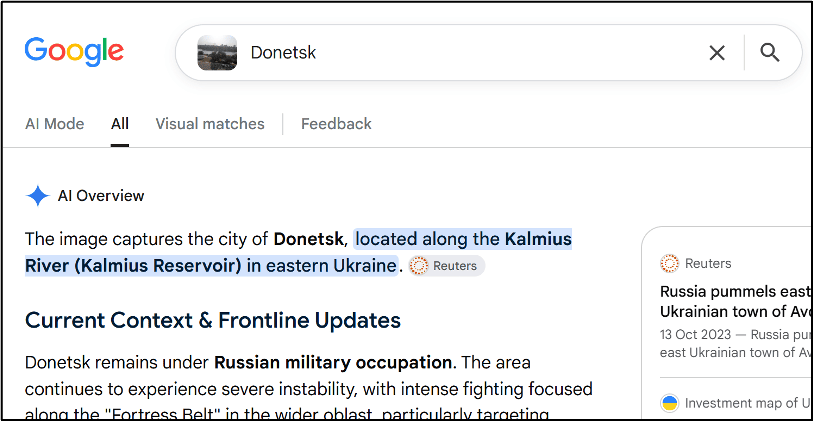
The other Google tabs did not leave the space empty. Under All, an AI Overview placed the photograph at Kalemegdan Fortress in Belgrade, citing PhotoHound and Wikipedia.
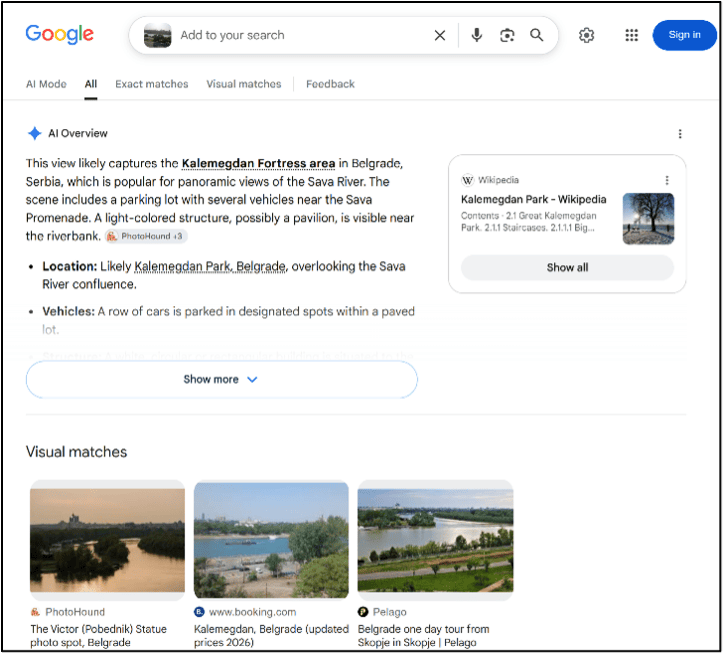
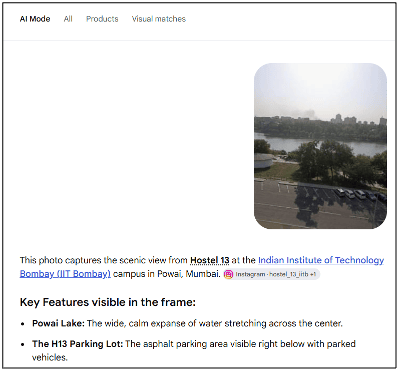
Re-uploading the same image into AI Mode relocated it to Hostel 13 at IIT Bombay, while a geolocation prompt with evidence returned Belgrade Fortress again. Those citations are not provenance, it’s just the system pointing at places it thought looked a bit like ours.
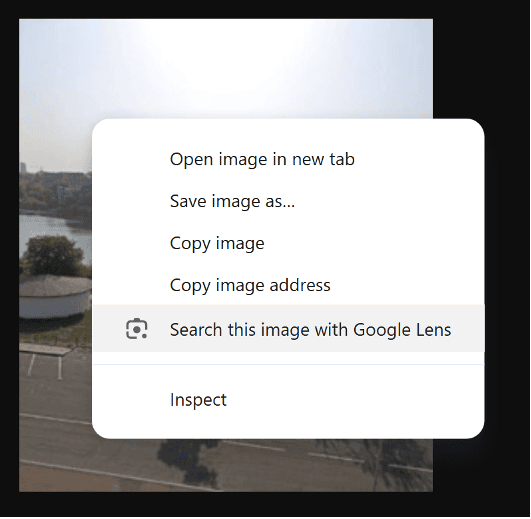
And, when we search with the right-click “Search with Google Lens”, we get something different in the AI Overview and Visual matches. Exact matches stay empty.
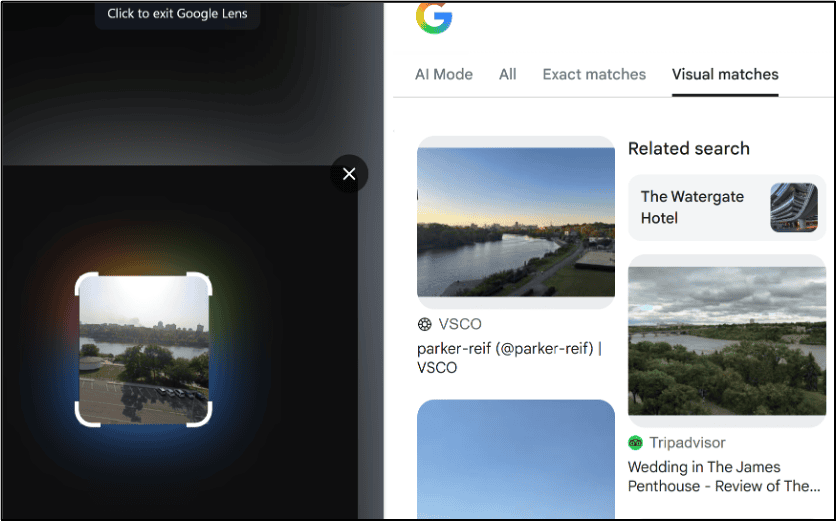
When we prompt with an objective of the task, such as geolocation or when the image first appeared online, we yet again have two wildly different answers, and to spoil the fun, they are also incorrect, though at least one was consistent(ly wrong).
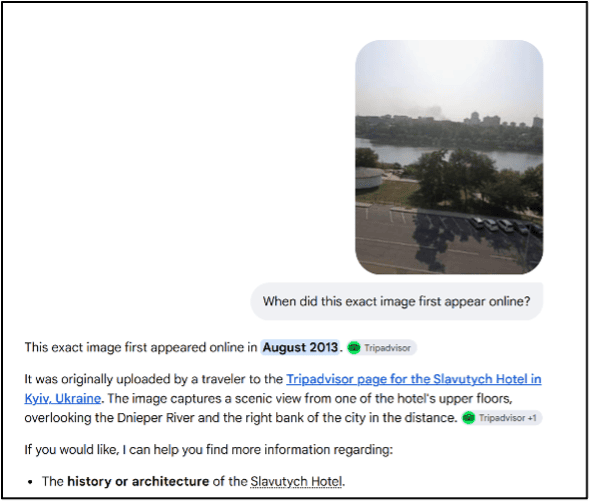
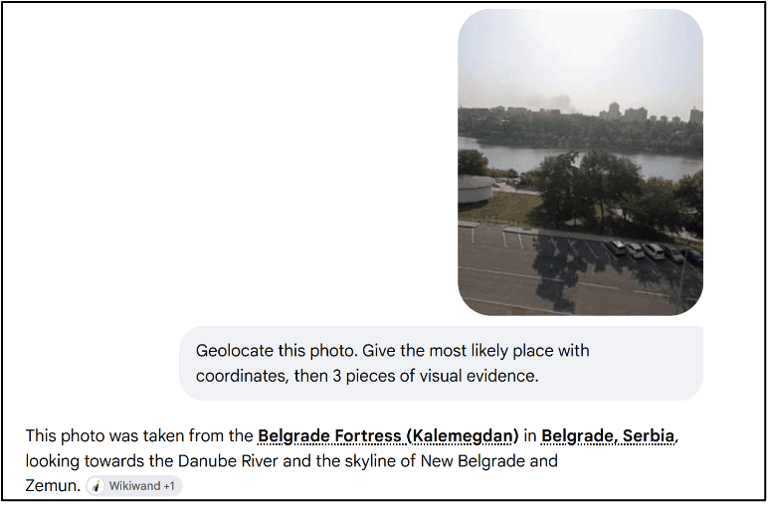
This page is not stable
Those results could be written off as a coverage problem: a park in Donetsk, photographed and posted mostly in Russian, and thinly indexed outside that part of the web. So we went again with a second image, this one with no such excuse: readable Chinese text and a publisher watermark.
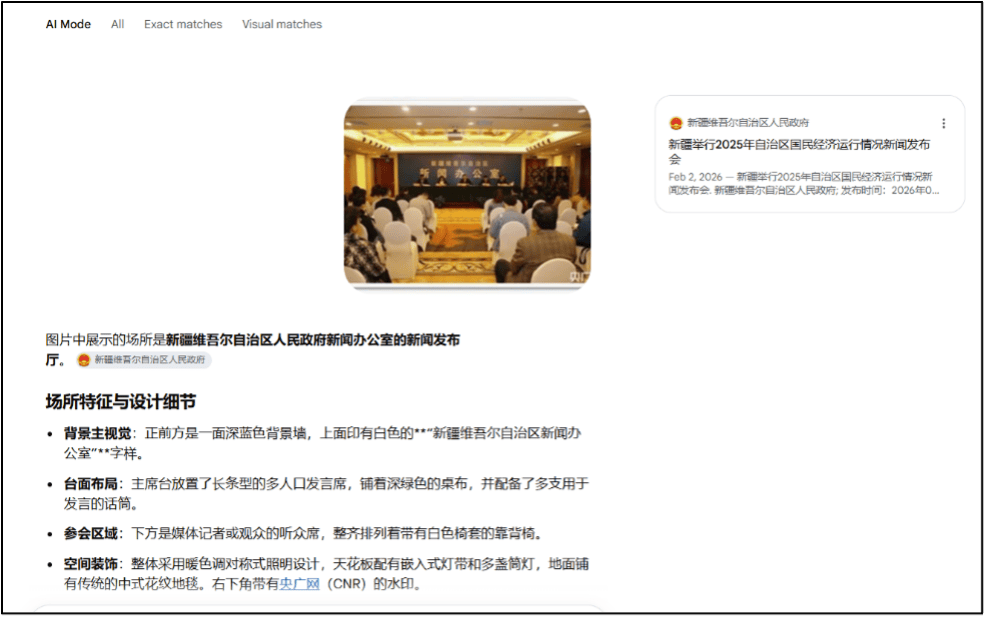
The photograph appears to show a press conference in the briefing room. The backdrop reads 新闻办公室. A long table covered in green cloth sits on the podium, with rows of white-covered chairs below. A 央广网 watermark appears in the bottom-right corner.
The room is distinctive, but it is also reusable. Identifying the room is not the same as identifying the event.
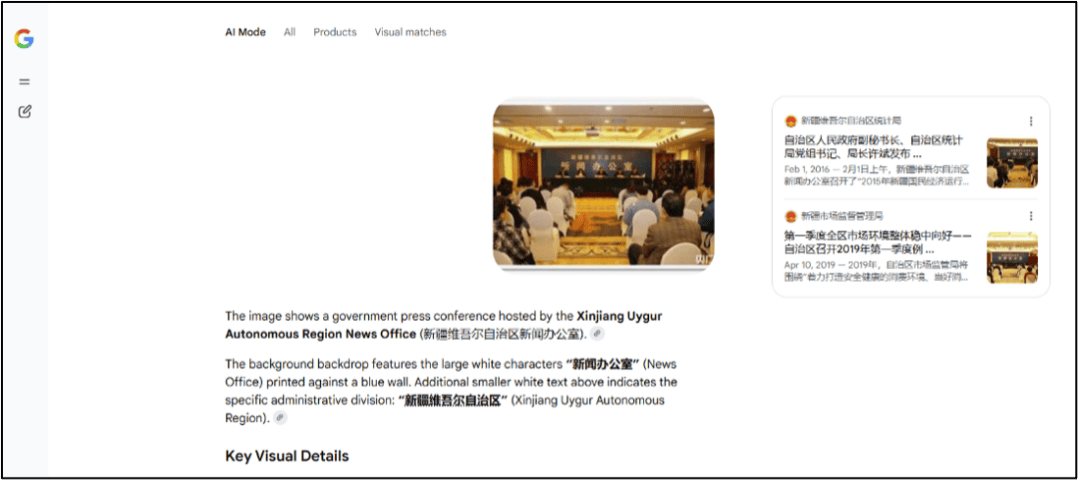
AI Mode answered in English, citing the regional Statistics Bureau (right-hand panel) on a 1 February 2016 release of the 2015 economic figures, and the Market Supervision Administration on the first quarter of 2019.
Flicking between AI Mode and All, with no prompt change, it answered in Chinese and cited one source: the regional government’s page for the 2025 economic figures released on 2 February 2026.
The Lens app on a phone answered in English again, citing tjj.xinjiang.gov[.]cn from February 2016 alongside a Macao Daily Facebook post from 8 August 2022 about imported COVID cases.
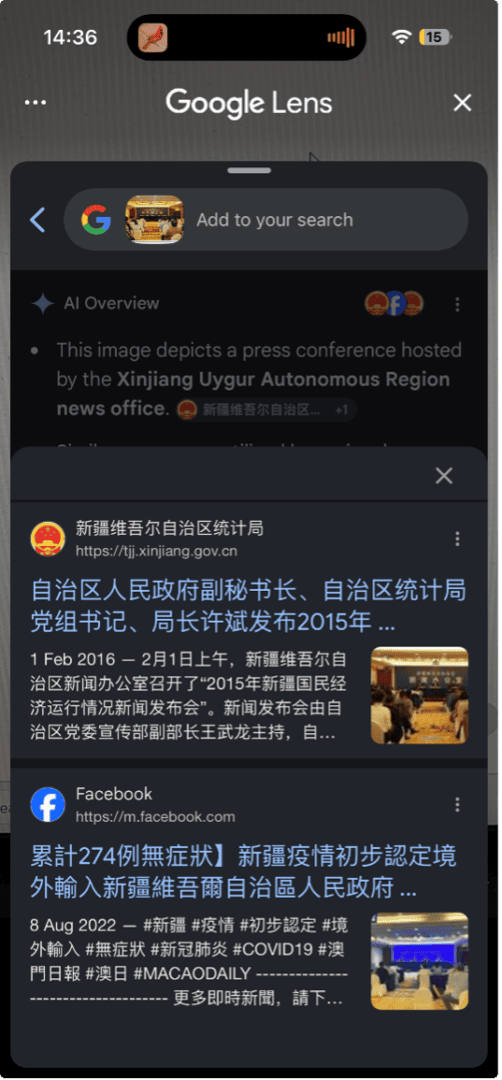
The Exact matches tab returned one result: the Market Supervision Administration page, 10 April 2019.
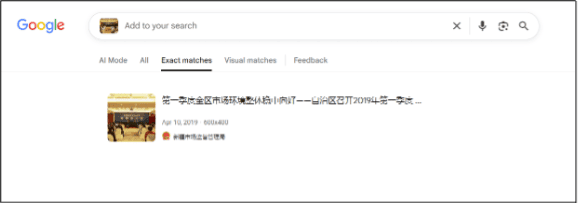
None of those dates is a candidate date for the photograph. They are the dates attached to different pages that the system associated with the same visual content, spread across 2016, 2019, 2022 and 2026. Only the Exact matches result showed a page that actually contained the image, and even that only confirms when the image appears in that index, not when it was first published.
These results are not stable or definitive. Running the same search again can produce different outcomes, sometimes closer to the original source and sometimes not. That variability is part of how these tools work, and it can either help an investigation or mislead it depending on how it is used.
We are watching entity recognition, not provenance. Knowing the place is not knowing when or why the image was created, and when and why is what we came for.
The interface itself also changes between modes and sessions. In AI Mode, switching to other tabs such as Exact matches or Visual matches may redirect you into the standard Lens interface or reset the search entirely. In other cases, the same tabs appear directly in Lens as All, Exact matches, Visual matches, and Feedback. The same image, accessed through the same tool, can therefore produce different investigative pathways. The system is inconsistent by construction. Working with it means expecting that, rather than troubleshooting it.
The Chinese-language answer read the 央广网 watermark. The English responses ignored it, which is how China National Radio turned up as a provenance lead. Try it tomorrow and you may get neither, which is the game we are playing.
Seven reasons, four behind a tab
We teach reverse image searching as serving seven purposes, as mentioned before: date verification, source identification, context checking, ownership tracing, copyright monitoring, geolocation support and object recognition. Four of those depend heavily on exact matching.
Date verification requires dated copies of the same file. Source identification requires URLs that can be traced and compared. Ownership and copyright work require finding pages on which the file appears. A paragraph describing the scene does not satisfy any of those tasks.
Recognition does improve context checking. A model that reads signage, compares architecture and identifies vegetation can provide useful leads quickly. It is also the task most likely to produce an answer even when the underlying evidence is weak.
In October 2024, Google put Lens at nearly 20 billion visual searches a month and said 20 per cent of them were shopping-related. Both numbers come from the same announcement, and that announcement was about shopping. It does not prove why Exact matches moved, but investigative provenance is not the driving force behind this product.
Keywords still steer the result
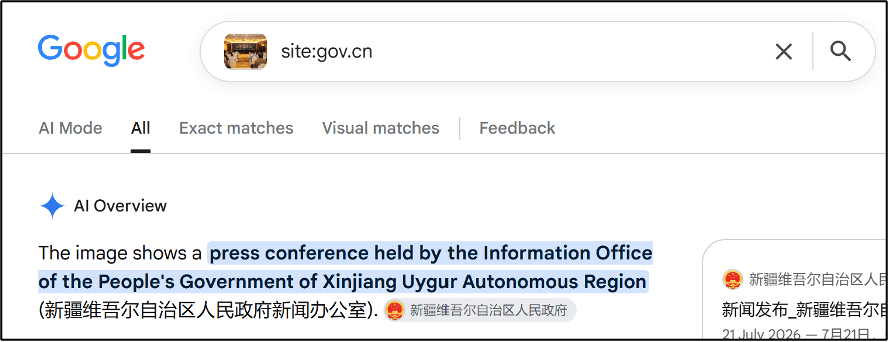
Google does not treat added text as a strict instruction, but it does change the output.
Adding site:gov.cn to the Xinjiang image steered the answer towards regional government sources. Another example would be to shape the output with a different language.
Adding “committee” or a site: operator to a photograph of the US Capitol attack reshaped both the AI Overview and Visual matches.
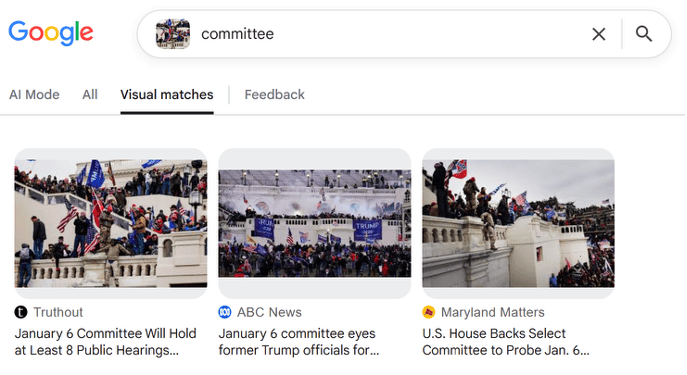
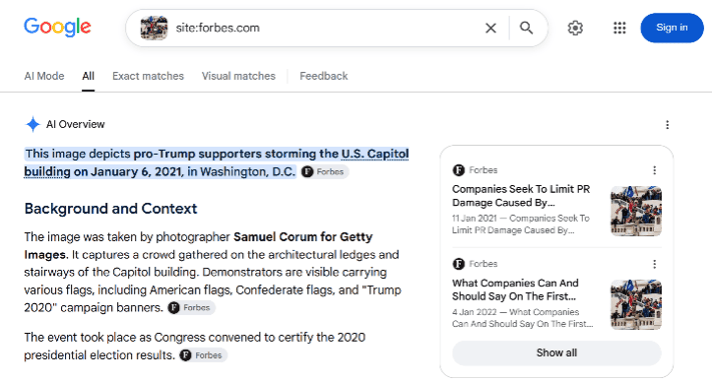
The keyword therefore behaves more like a steering signal than a Boolean filter. It can test a hypothesis or surface a different source cluster, but the returned links must still be checked to see whether Google followed the instruction.
Very good at geolocation, and also not that great
On a geolocation challenge or an object identification, we go to AI first and say so unashamedly. It is a low-risk task: we can check the answer quickly by going to that location in maps.
We can upload an image and ask where it was taken, though a bare question can sometimes produce a bare answer. Specifying the task works better: identify the visual clues, return coordinates, supply three pieces of supporting evidence.
Where a direct location enquiry returns nothing, we use the model’s other strengths instead. A night-time street with a petrol station, a bus and little else will defeat a straight geolocation prompt, but if we know the city, we can prompt: “I want to ride a bus around X city. I also have a special interest in X petrol stations so I want to see as many as possible on that bus ride. Can you tell me the bus routes through this city that pass these petrol stations?”. That converts an identification problem into a pattern-matching one the model handles well.
Bellingcat ran 500 geolocation tests in June 2025, then re-ran the trial in August across 24 models. Newer did not mean better. GPT-5, including Thinking and Pro, scored worse than o4-mini-high, which had won the June round and which OpenAI then retired. Most models hallucinated somewhere in the set. Google AI Mode topped the August round and was the only tool to put Test 25 in Noordwijk, a Dutch coastal town everything else missed. Capability is once again really good, and really bad, uneven, and not improving in a straight line. It is what we described in What AI Can’t Be Trained On, applied to pictures instead of prose.
Below is AI Mode getting very close without a prompt, and on the right, a frontier model in ChatGPT getting it wrong.
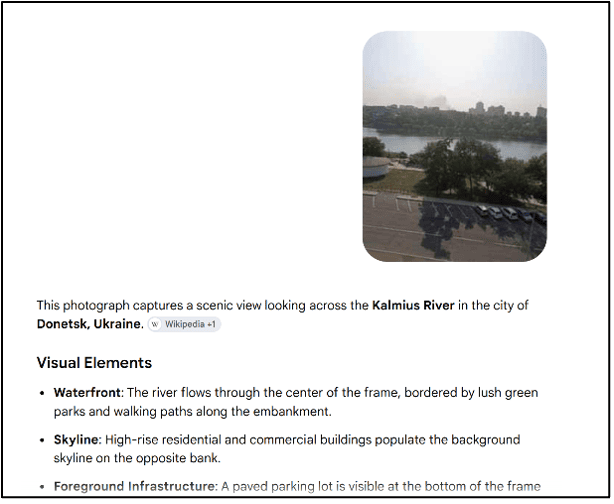
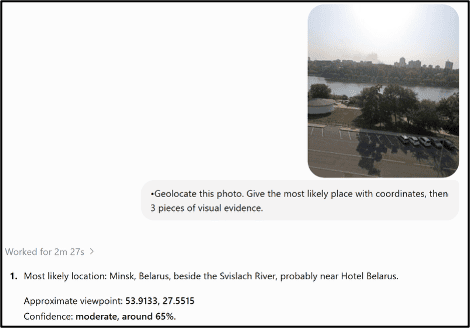
Every model returns the same shape of answer whether it’s correct or essentially guessing to try and keep you happy. If we are getting it wrong, we lift the thinking level and prompt again. Still getting it wrong?Change the model, the prompt and get creative. Add information we have collected separately to improve the context the AI has access to. Still nothing? Go back to the core skills of geolocation, and do it the old way.
Yandex and the bill
Yandex remains the strongest general engine for this work, and its layout still reflects what an investigator wants. The Search tab returned an entity. Similar images let us match the small circular white pavilion in the foreground against photographs of the same spot in other seasons, which is what actually confirmed the location. The Sites tab returned publishers.
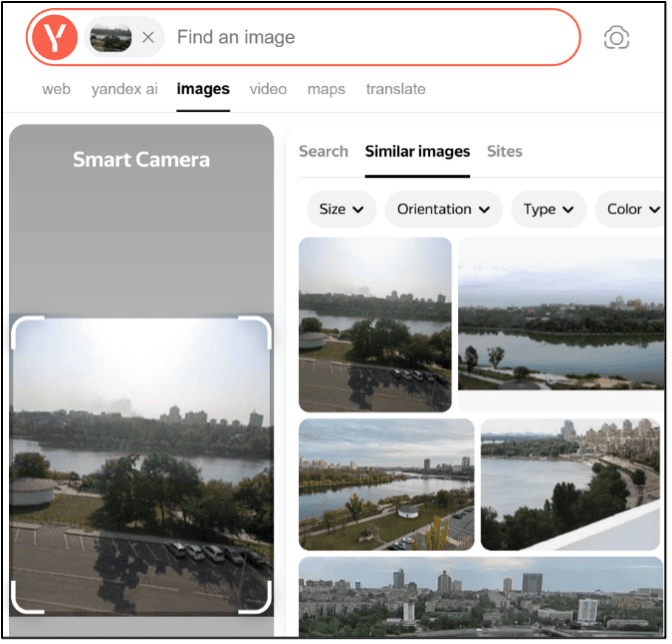
That third tab, Sites, has no equivalent in any AI tool. Where an image is online tells us who is circulating it, and that is the corroboration part of R2C2.
The bill: our image, our query, our IP address and our onward search path, all of it to Russian infrastructure. Does that matter? It depends on where we are working from. We made this argument about free email investigation tools in Investigating Email Addresses with OSINT. Take that decision deliberately, from a research environment built for it, and not from a work laptop on a corporate network.
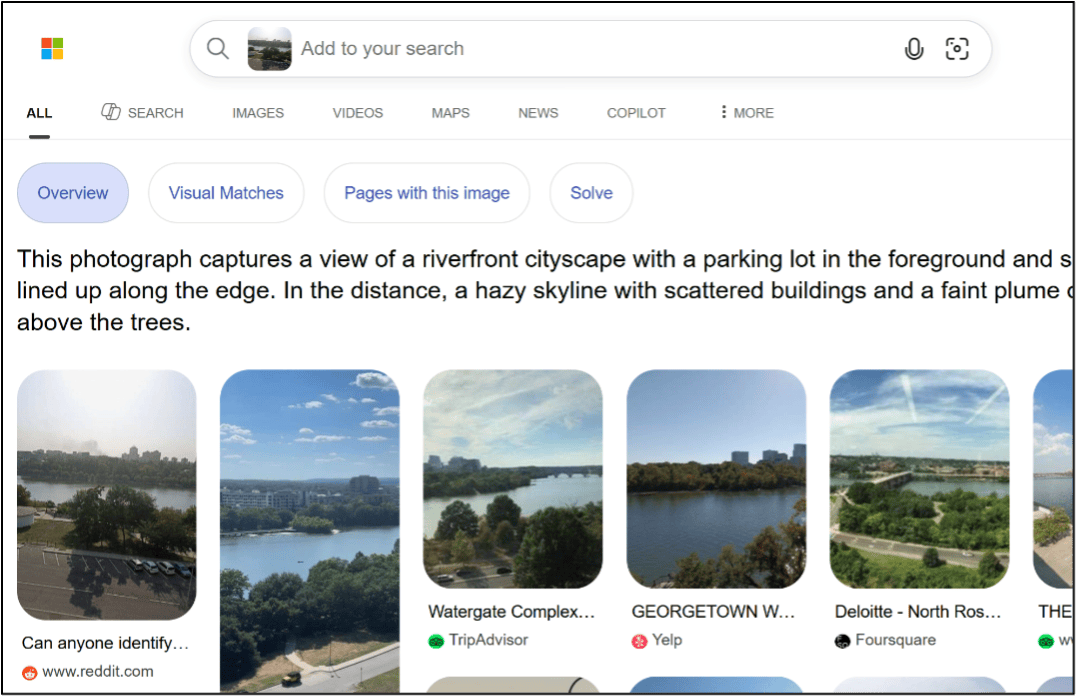
Bing earns a mention on the strength of one result. It found the exact image on a Reddit thread. Although Bing is worth searching, it is rarely the first choice. Baidu is the gap in this test. We did not run it, which given the Chinese-language image above is our omission rather than a finding. It indexes a segment of the web the others do not reach and belongs in any search on an image carrying Chinese-language content.
Documentation, before process
We require something that withstands legal, regulatory, evidentiary and governance scrutiny. The straightforward approach is notes and screenshots: before starting, for when we get a hit worth the time.
- The engine and search surface.
- The date and time.
- The browser and entry point.
- Whether the session was signed in or private.
- The apparent country and interface language.
- The prompt, if one was used.
- The URLs and screenshots returned.
When only using AI for intelligence, our Citing AI Used in OSINT Workflows guide asks analysts to record the system, date, purpose and contribution. Capture those details at the time because repeating the search may not reproduce the same result.
Where AI only supplied leads that were independently verified, cite the underlying sources. Where its judgement materially affected an assessment, document the model, prompt and analytical contribution.
Running it now
The order of operations has not changed radically. Define what you are trying to establish, preserve the original image, then use multiple engines to locate copies and examine their context.
The environment is what changed. Engines and AI systems reach different parts of a more segmented internet, and AI interpretation now arrives as a standard part of the results whether we asked for it or not.
In every case, start with Exact matches and skip the AI Overview. If the tab is missing, change your access point. Use the Lens camera icon in standard Google Search rather than uploading directly into AI Mode, or begin at Google Images, which is worth bookmarking. This provides a less AI-led starting point, although an AI Overview may still appear later.
The revised workflow for reverse image searching is:
- Check Exact matches first. Establish whether Google has indexed the same image before reading any interpretation of it.
- Run other engines. Check TinEye, Yandex, Baidu and Bing because each covers different parts of the web. On Yandex, inspect Sites as well as Similar images.
- Add keywords or crop the image after the baseline search. Search for specific things to steer the results.
- Keep the tasks separate. Exact matching supports provenance and dating. Visual matches and AI recognition provide context and leads.
- Record the search conditions. Largely dictated by the work, capture the engine, entry point, tabs, language, prompt, date and returned URLs, as needed.
What we cannot tell from any of this is why the same file, the same engine and the same tab produced different answers an hour apart. A/B test, staged rollout, personalisation, index churn: all plausible, none confirmable from our side. The workflow above is written for a system that will not explain itself and will likely change again in the direction of more AI, not less (unfortunately).
If you would like to push your OSINT collection and tradecraft further, get in touch at [email protected] or browse our training courses to find the right fit for your organisation.