Australian OSINT Symposium Capture-the-Flag Walkthrough Part I
Jemma Ward | Oct 13, 2025 | 9 MIN READ
We were thrilled to host a phenomenal line-up of speakers and participants at the Australian OSINT Symposium in Sydney on 18 and 19 September. To keep the OSINT vibes going a little longer after the event, we released another OSINT Capture-the-Flag, this time with a focus on shady companies and mysterious imports.
This time, we had nearly 100 participants and 800 solves, with a few folks smashing through our challenges (despite a couple of technical difficulties along the way!). Now it’s time for the first part of our walk-through of the challenges – as always, there are a variety of ways to solve a challenge, but we’ll include some different approaches in our walk-through so that readers can continue to develop their knowledge and tradecraft.
Domain
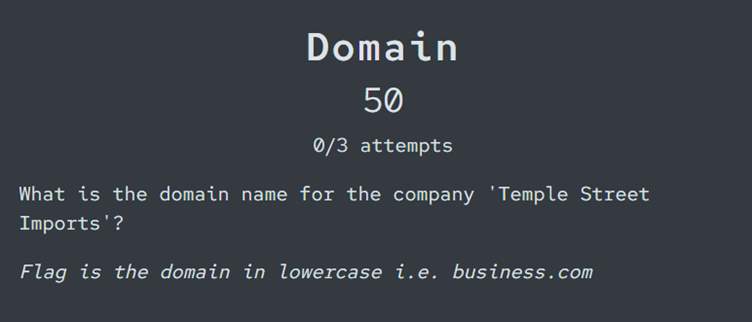
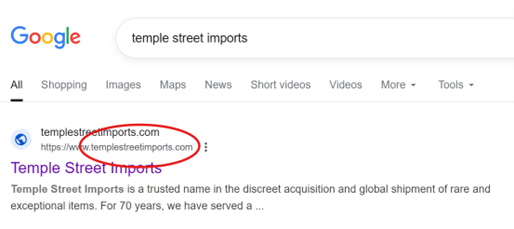
A nice, easy one to start us off! Either a quick Google search or a couple of guesses reveals that the domain is, simply, templestreetimports.com. Sometimes the simple answer is the right one!
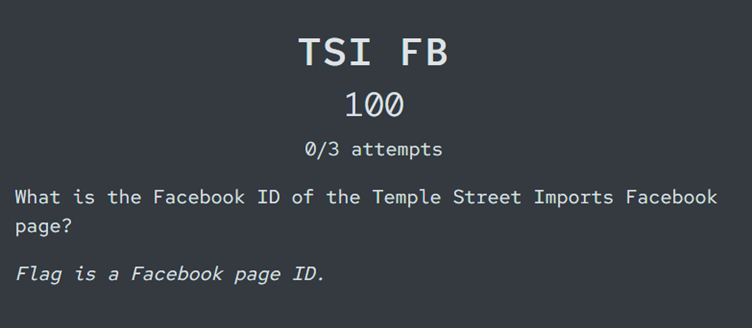
TSI FB
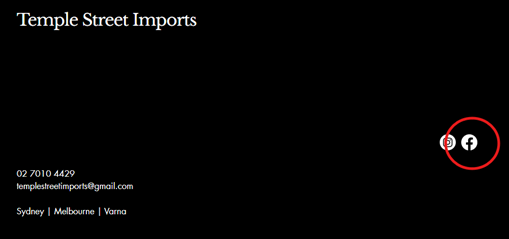
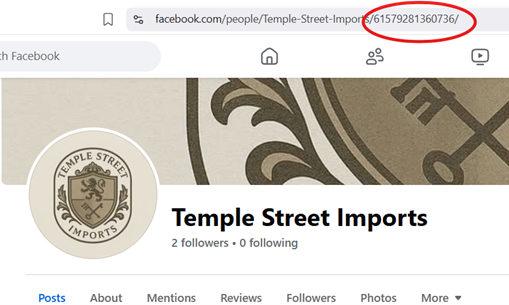
Collecting Facebook IDs is one of those little admin parts of an OSINT investigation that we stress in our training courses, particularly when there’s a requirement to monitor social media pages over a longer period. While a page may change its display name or vanity name, including the URL, the Facebook ID will remain the same. In this case, we could either go directly to Facebook and search for Temple Street Imports, or, now that we know the domain, check for links to socials there:
Since this is a business page account, rather than a personal page, we can see the Facebook ID in the URL. You can also locate it in the page source by searching for ‘pageID’.
S.O.S.
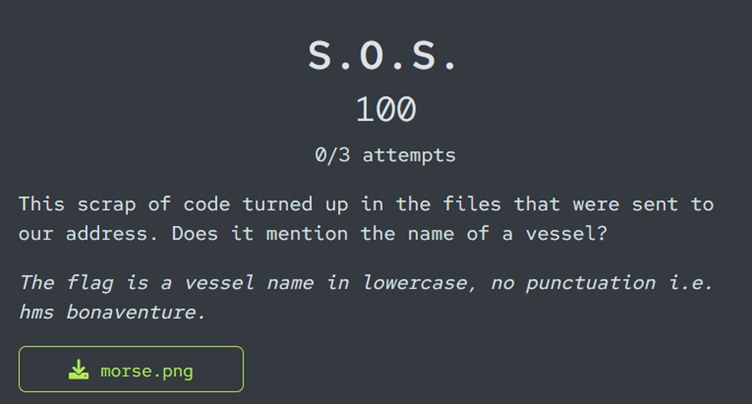
How’s your Morse Code? Perhaps you recognised the type of code straight away, in which case translation is a little easier. You could, of course, translate this manually, but there are plenty of cipher translation tools online. Here are a couple that might assist:
Of course, we made this one a little trickier by providing the morse code in image format. I’ve had middling success with using optical character recognition (both via OCR tools and ChatGPT) to extract the code accurately – Google Lens managed it one single time, but failed each time after, while AI tools struggled to extract accurately at all. A good reminder that some tasks are better done manually than with a tool!
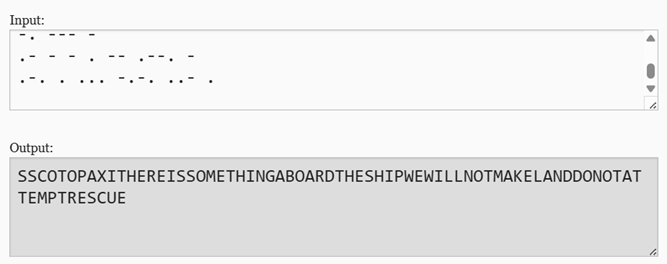
Using the Morse Code translator (Cyberchef works as well, although may require a little extra googling to confirm the spelling of the flag), we retrieve the following translation:
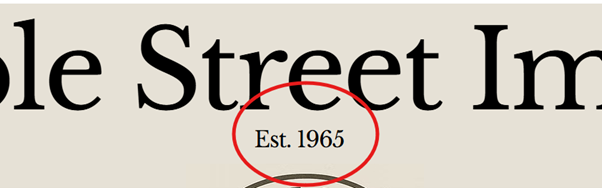
Established
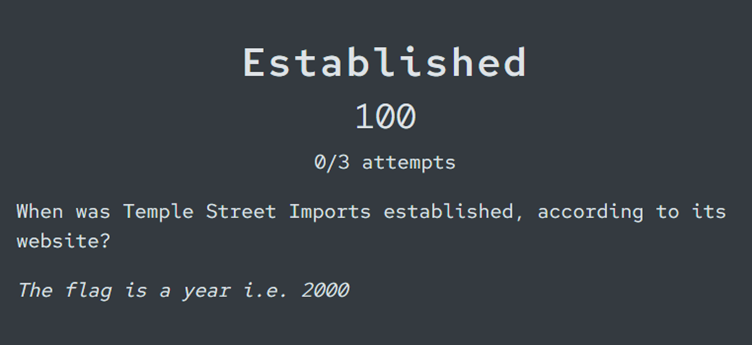
This is another easy win – we should be able to see the ‘established’ date on the Temple Street Imports website, in the cover image.
Restricted
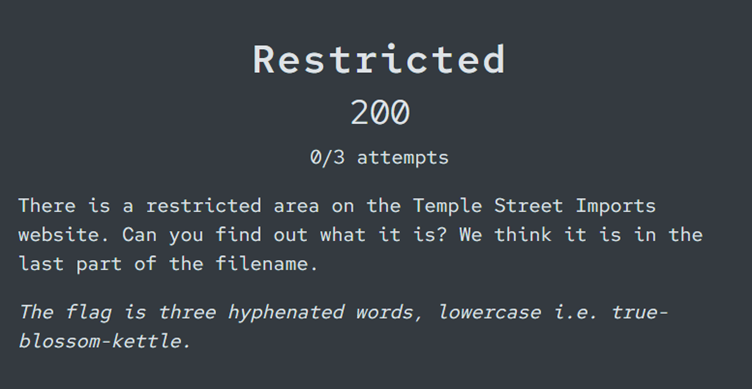
Now things are getting a little trickier. When it comes to website investigations, it’s well worth taking the time to understand sitemaps and file paths that might not be visible either on the website itself, or in search results.
Most websites have a text file called ‘Robots’ that provide instructions to web crawlers. Robots.txt files should never contain sensitive or secret information (although anyone who has done an entry level penetration testing course has no doubt encountered challenges that suggest the opposite!), but they do often include information about parts of a website that we might not know about.
To access a website’s robots.txt file, we can just add it as a filepath after the domain i.e. domain.com/robots.txt. Here’s the robots.txt file for the domain templestreetimports.com:
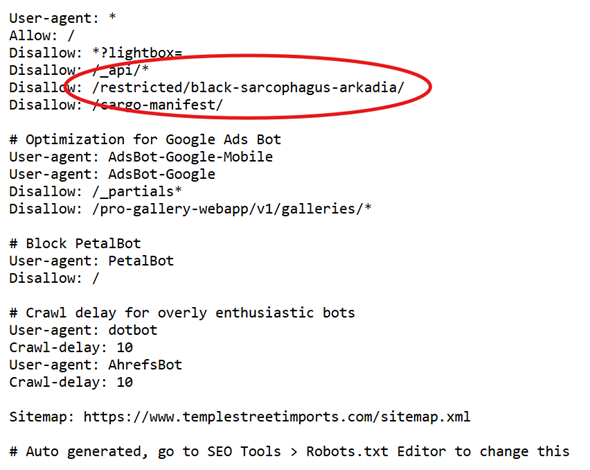
We can see a restricted file path, and the name is ‘black-sarcophagus-arkadia’ – another flag retrieved!
Dispatch
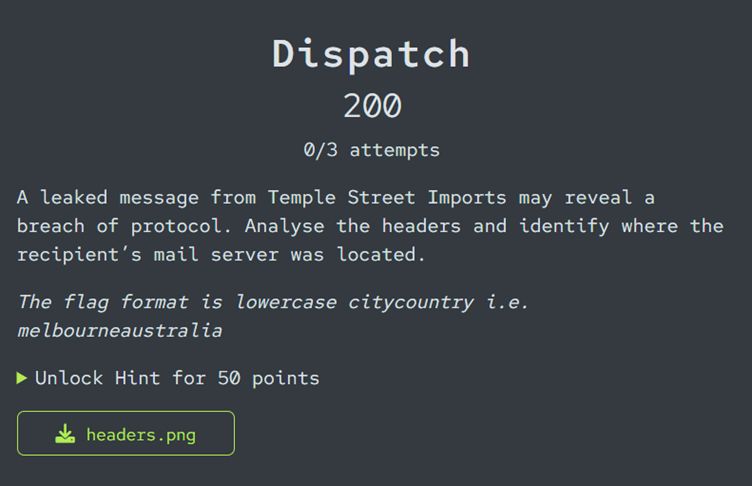
In this challenge, we need to investigate a set of mail headers to identify the location of a mail server.
Mail headers are the hidden technical metadata attached to every email. They contain mail routing and authentication information that tells us how the message travelled from the sender to its recipient. Mail headers typically include both the normal, visible parts of an email – the to/from fields, email subject, and date – along with other data, such as the return path for replies, and the list of mail servers that handle a message along its path. The mail server IP addresses can assist us in tracing the origin of an email and its delivery path.
In this case, we have an image file with the mail header text. Another fiddly one to work with! This time, though, we should have more luck with using optical character recognition to extract the text. Google Lens does a much better job of recognising actual text compared to morse code, so we can copy our data into a text file (which makes it a bit easier to analyse and look up IP addresses).
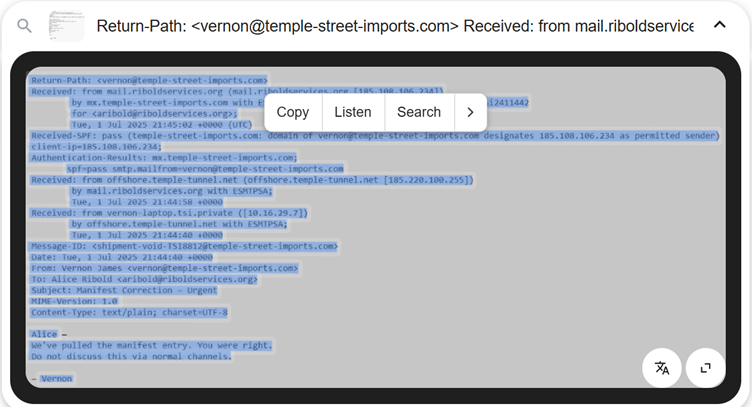
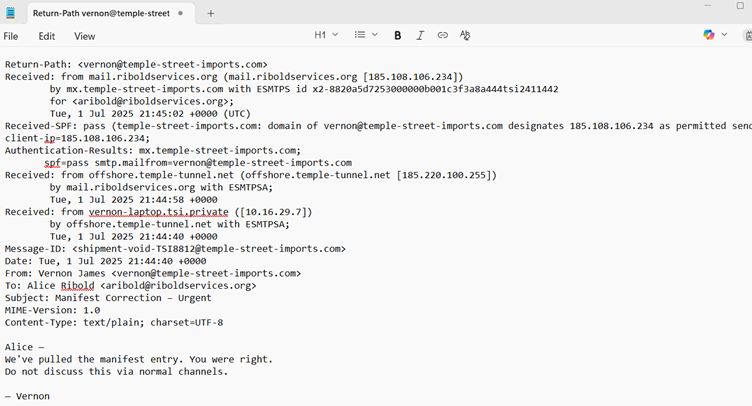
Now, we have a few options. For those of you familiar with mail headers, the easiest way to identify our recipient’s mail server might simply be to scan the header information. There are a number of IP addresses, but the one associated
with the recipient’s mail server appears in the second line:

We could also use a tool to help extract the IP addresses – MX Toolbox has a mail header analyser tool that will extract key information. Since this is a mocked up header, it will flag as unauthenticated, but it might make it easier to parse the mail server information:
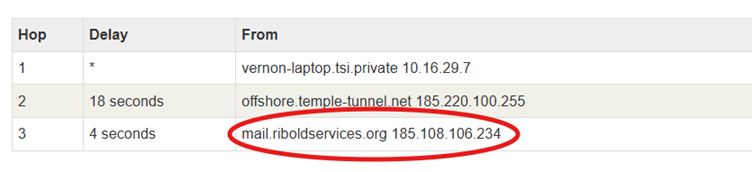
Taking this IP address, we can perform IP geo lookups (keeping in mind that IP geolocation data may not always be completely accurate – using more than one tool/database helps to confirm the most likely location for an IP). In the image below, we used IPlocation.com, but other IP lookup tools include:
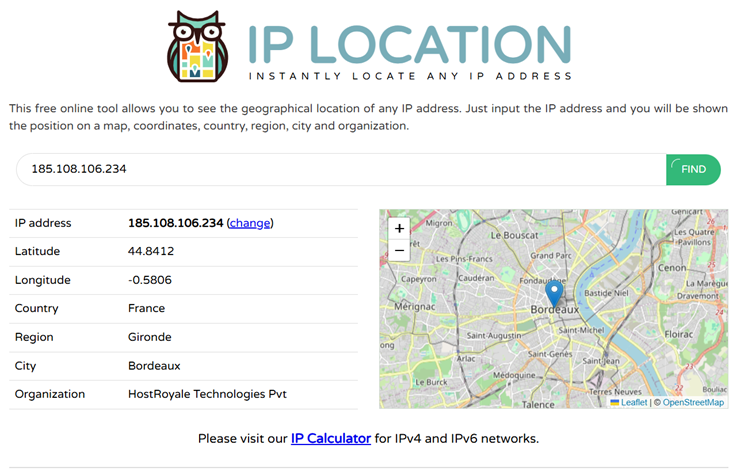
The location is revealed as Bordeaux in France.
First Shipment
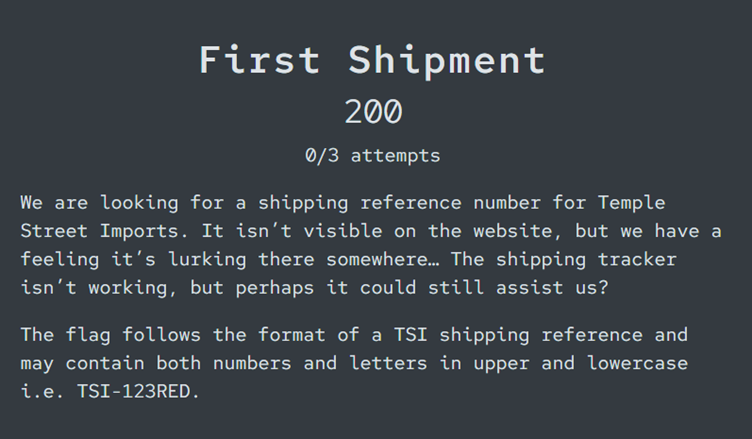
It looks like we have another website investigation challenge here. The clues in the challenge suggest that we won’t find the flag in the visible text on the website, and it has something to do with a ‘shipping tracker’. If we go back to templestreetimports.com, we can see a shipping tracker at the bottom of the page:
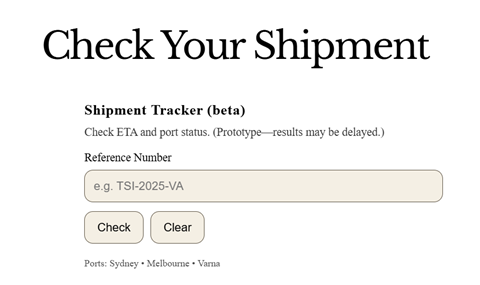
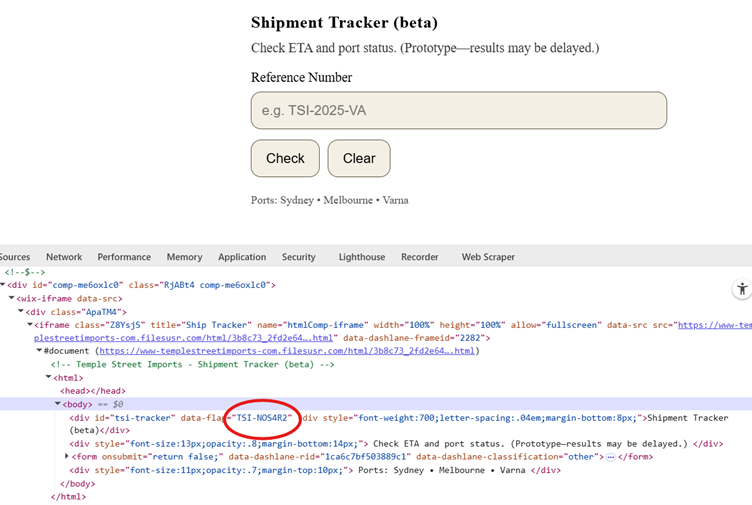
When it comes to examining websites, looking ‘under the hood’ is a useful approach to check for information in the source code that might provide new leads. Website developers might leave notes in the code, or filenames might reveal information about hidden directories, file metadata, or website owners. We can look at a website’s source code by either viewing the page source (right click > select ‘View Page Source’ in most browsers) or using our developer tools (right click > select ‘Inspect’ in most browsers).
Using the ‘Inspect Element’ tool within our dev tools has the advantage of letting us interact a little more closely with the resources on a page. For this challenge, if we open our developer tools, and select the shipping tracker element, we can expand the relevant fields and look for any hidden shipping reference numbers. Sure enough, there’s one in here that doesn’t appear in the visible element – TSI-NOS4R2.
Who Am I?
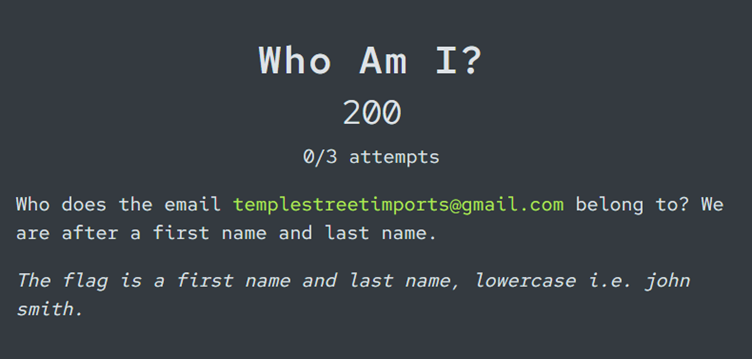
Finding and using email look-up tools to collect information about an email address is a key technique in person-of-interest investigations. Since we have a Gmail address listed in the challenge, a tool for Gmail information retrieval is ideal. Epieos is our go-to free tool for retrieving Google account information, including links to Google Maps reviews.
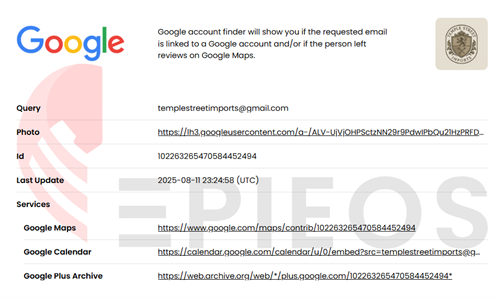
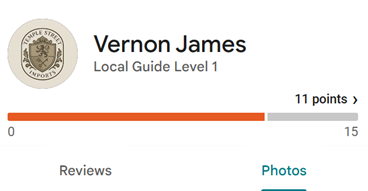
Clicking through to the Google Maps results reveals the full name on the profile – Vernon James.
A Nice Pint
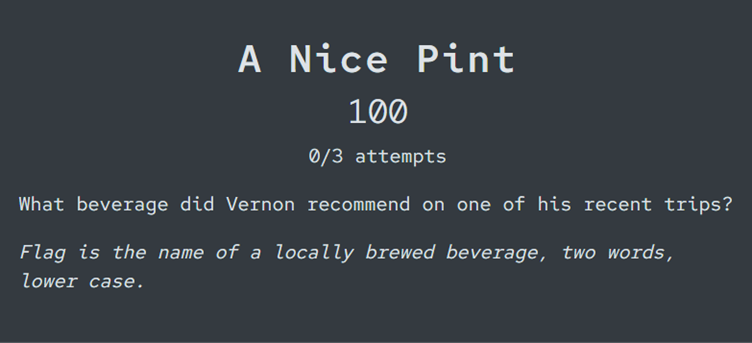
This challenge is a follow-on from ‘Who Am I?’, and, reading between the lines, it seems like our flag might be lurking somewhere in a restaurant (or similar) review that Vernon has left somewhere. In our Epieos look-up from ‘Who Am I?’, we can see that Vernon has left at least one review.
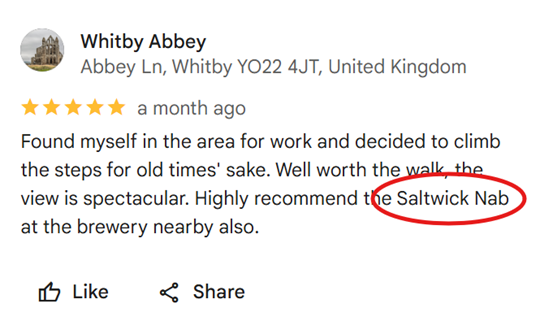
A quick Google will confirm that Saltwick Nab is, in fact, a beverage, so we have our flag!
Google reviews can be an enlightening source of information about a user’s travels, behaviours, and pattern of life, so it’s always worth factoring into person-of-interest investigations.
Port Number
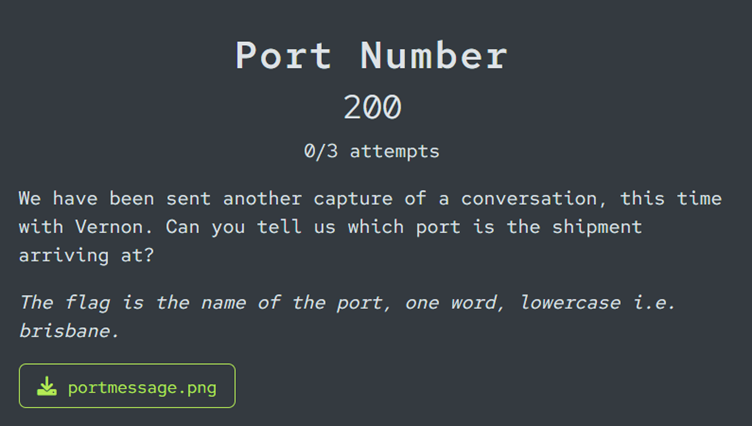
For this challenge, we need to identify a port name – we have some text messages as clues.
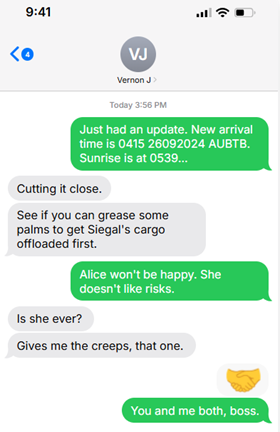
There is a reference to an arrival time – 0415 26092024 AUBTB. The first part of this is likely a time and date, but the AUBTB might be a reference to a port number. Depending on where in the world you are located, a simple Google search might reveal the flag:
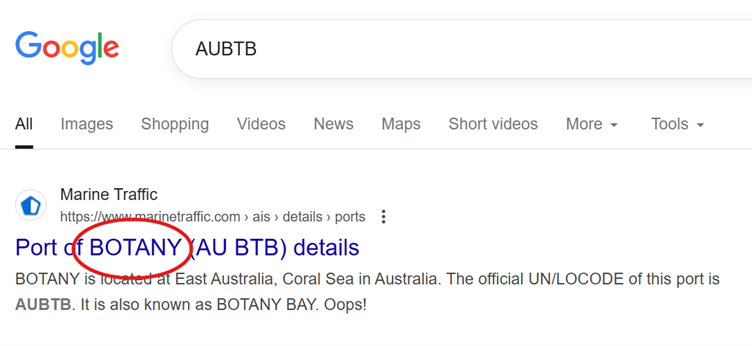
Search engines (particularly Google) know we’re we are located, and will attempt to retrieve results relevant to our region. Additionally, the number of searches for a particular search term will affect the order of search results – so we’re much more likely to see ‘Port of BOTANY’ as our first results now than we were a few weeks ago, since so many of us have been searching for that information!
As always, it’s worth having a back-up for those instances when Google doesn’t deliver. Even without the port code in the text messages, we have enough information to narrow down a location – Time and Date is a great resource for checking and converting time zone differences, and confirming sunrise and sunset times across the globe. We can use it to check the sunrise time to confirm that our port is in Sydney:
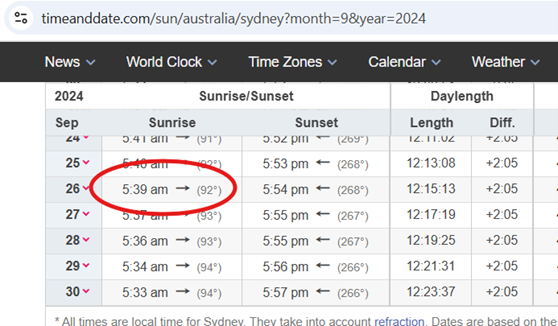
If we take a look at the ports around Sydney, we can identify the most likely option based on a few key criteria:
- Must be located in or very close to Sydney to match sunrise time
- Must be used for cargo vessels rather than passenger ships only
The relevant New South Wales ports website lists six main ports catering to Sydney, but, of these, Port Botany is the one that fits the main criteria.
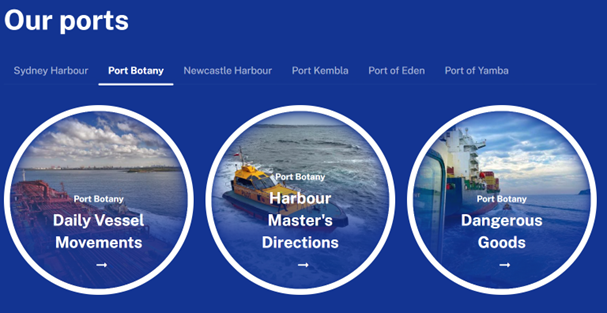
Chances are, you didn’t need to take those extra steps to confirm the correct flag, but taking the ‘scenic route’ is, quite often, an important and necessary part of open-source research.
Call Me
This one requires us to find a second phone number for Temple Street Imports. There’s a landline number (extra points if you looked up this number and found out what it can be used for) listed on the website, but no mobile.
However, if you found the Temple Street Imports Facebook page referenced in an earlier challenge, you might already know where to look. There is a mobile number listed in the business information on the page:
Manifest Entry #7
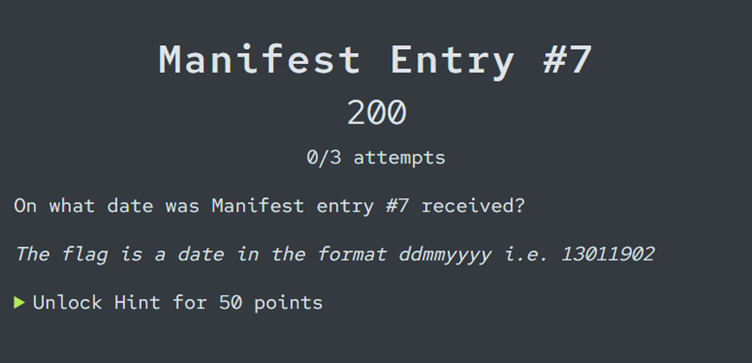
This challenge requires a little bit of prior knowledge. We know already (from challenges like First Shipment and Restricted) that there are details on the Temple Street Imports website that relate to cargo shipments and manifests. If we go back to the site’s robots.txt file, where we previously found a restricted filepath, we can see that there is another entry for a part of the site called ‘Cargo Manifest’.
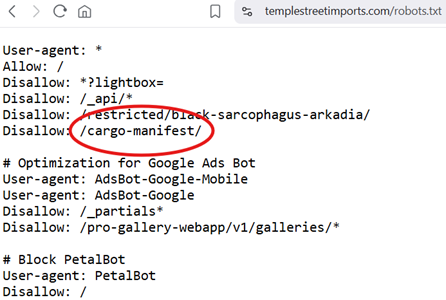
Unlike ‘black-sarcophagus-arkadia’, this portion of the site doesn’t seem to be restricted, so we can visit the page directly.
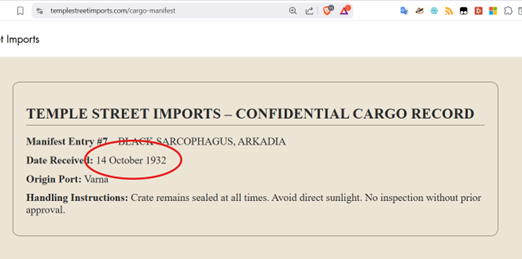
Here we can see the details for ‘Manifest Entry #7’, including a date – 14 October 1932. And since we’re already in the right spot, why don’t we investigate this manifest a little further in the next challenge…
Cargo Manifest
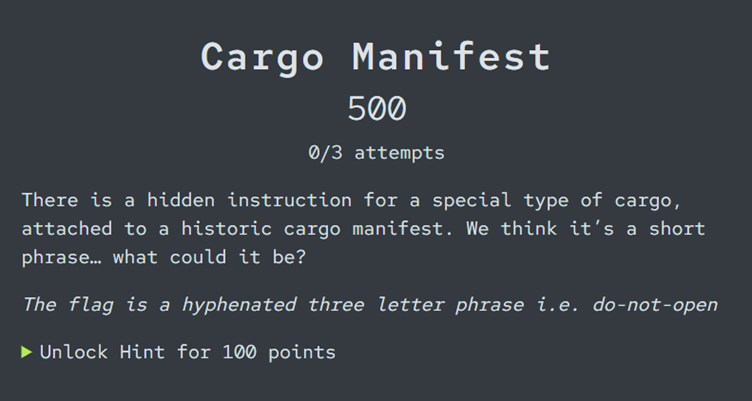
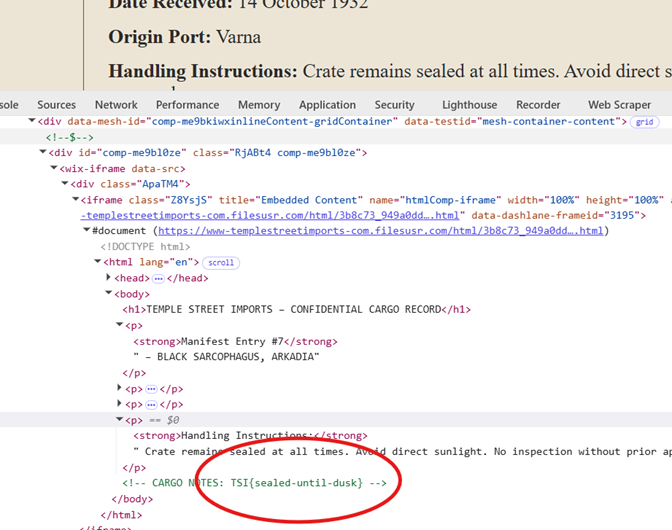
This challenge is quite a bit trickier if we don’t locate the correct part of the website – it had about half the number of solves as Restricted! But now that we’ve found the cargo manifest page on Temple Street Imports’ website, we can apply our website investigation skills once more. As with First Shipment, we need to investigate the underlying source code to find our flag. Using our developer tools again, we can identify a special instruction flag hidden in the notes for the cargo manifest element:
That’s it for the first part of our Capture-the-Flag walkthrough – how did you fare? We hope you enjoyed testing out your OSINT skills. Keep an eye out for Part II, where we’ll walk through the remaining twelve challenges.